Everchronicle
A downloadable game for Windows
What it is
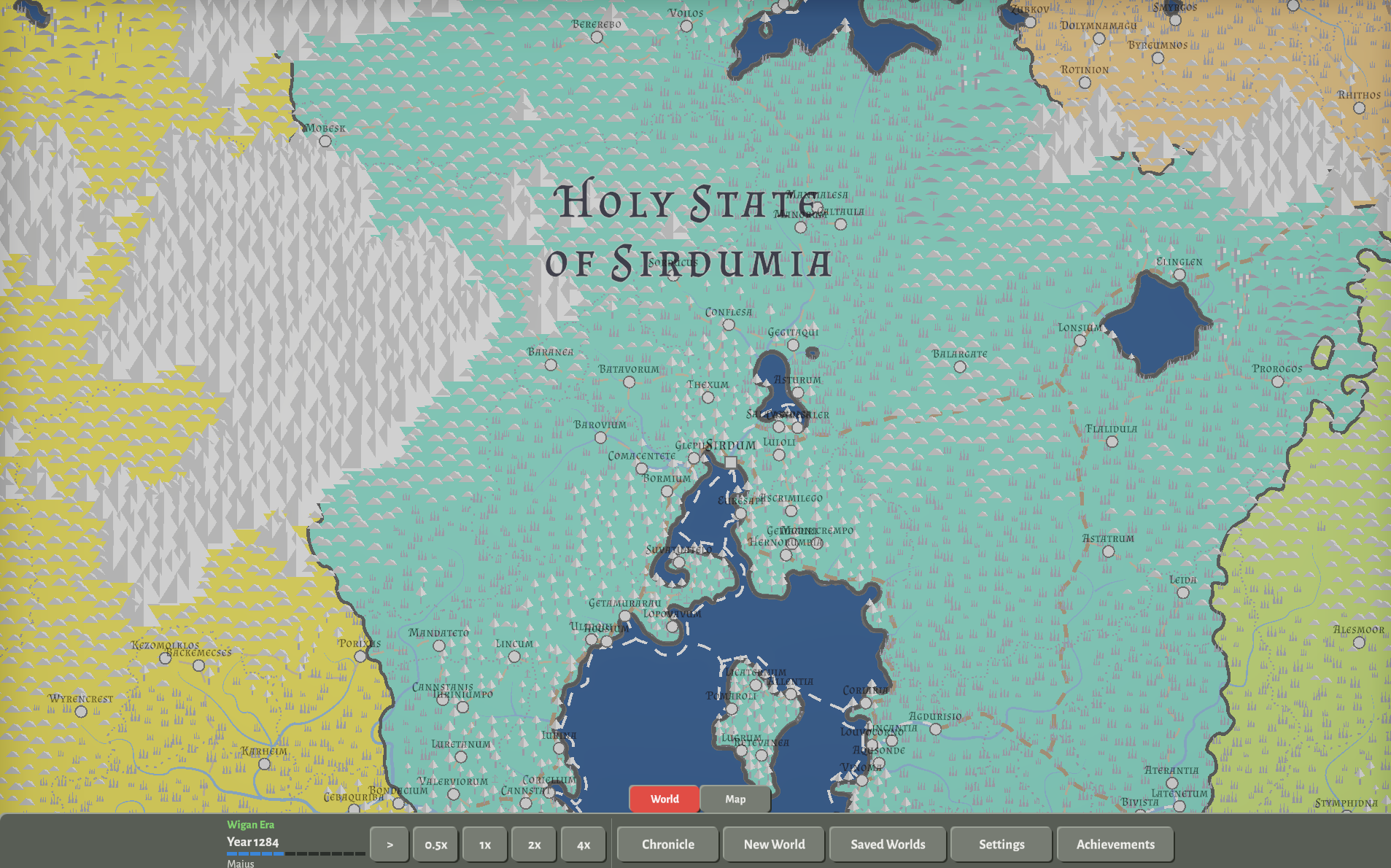
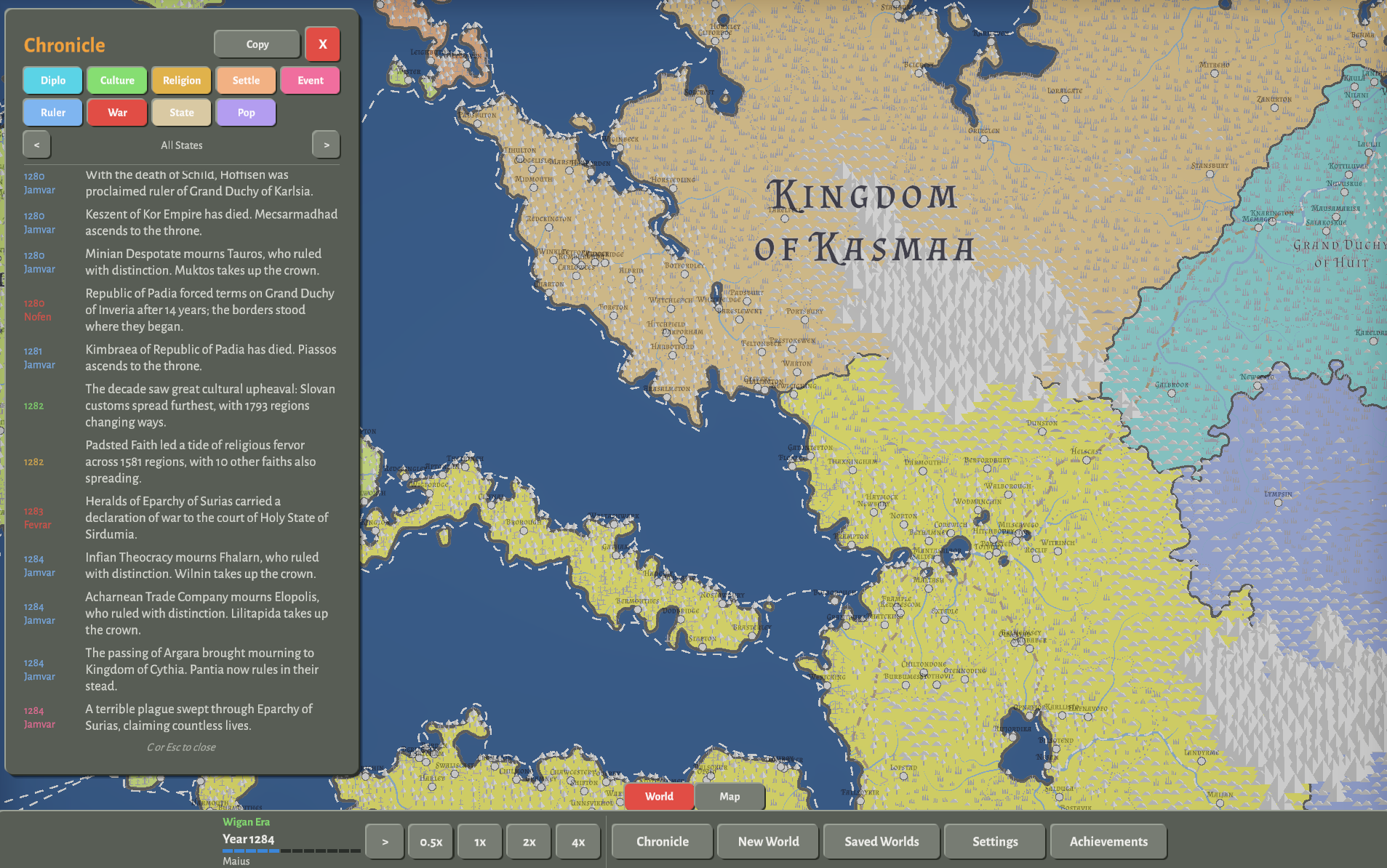
Everchronicle is a fantasy world simulator. Load a map and the world runs on its own, a month at a time: peoples grow and move, cultures and faiths spread, states quarrel and go to war, towns rise and rulers die, and everything that matters is written into a chronicle you read while it runs.
What you do
Set the speed, move the camera, read. Click any place to see who lives there and who rules it. Switch the map between political, culture and religion colors. Save a world and come back to it; a world runs for as long as you keep it.
Your own maps
The built-in world is Chaletia, made with Azgaar's Fantasy Map Generator. Export your own map from the generator as Full JSON and import it through New World.
Requirements
- Windows 10 or 11, 64-bit; 8 GB of memory; integrated graphics is enough.
- 160 MB on disk; a 50 MB download.
- About twenty seconds for a world to load.
Installing
- Unzip anywhere and run Everchronicle.exe, or install through the itch.io app.
- If Windows SmartScreen warns, choose More info, then Run anyway. The executable is unsigned.
The game runs from its folder; delete the folder to remove it. Saves, maps and logs live in %USERPROFILE%\AppData\LocalLow\Agloe\Everchronicle, and the Open folder button in Saved Worlds opens it.
Reporting a problem
Send the session's log (the Logs folder in the folder above), a line about what you were doing, and the save if you have one to agloe.games@gmail.com. Known issues are listed at the end of this page.
Everchronicle by Agloe. Maps made with Azgaar's Fantasy Map Generator.
Controls
Every control below is also on screen. The toolbar along the bottom of the window holds the clock, the speeds, the chronicle, New World, Saved Worlds, Settings and Achievements, and its Map tab holds the color modes. The keys are shortcuts. The same list is in the game: press F1, or choose Controls in Settings.
While a window is open (Saved Worlds, New World, Settings, Achievements or the controls panel) the world is paused, and the clock keys do nothing until the window closes.
Simulation
| Key | What it does |
|---|---|
| Space | Play or pause. Play resumes at the speed you had. |
| 1 | Speed 0.5x (a year every 72 seconds) |
| 2 | Speed 1x (a year every 36 seconds) |
| 3 | Speed 2x (a year every 18 seconds) |
| 4 | Speed 4x (a year every 9 seconds) |
View
| Control | What it does |
|---|---|
| M | Cycle the map color: Political, Culture, Religion |
| Scroll wheel | Zoom in and out |
| Right drag or middle drag | Pan the map |
Panels
| Key | What it does |
|---|---|
| C | Open or close the chronicle |
| F1 | Open or close the controls panel |
Selection
| Control | What it does |
|---|---|
| Left click | Select a cell and open its panel on the right |
| Hover | Show a note about the cell under the pointer |
| Esc | Close the topmost thing that is open; with nothing open, clear the selection; with nothing selected, open the menu |
Esc works through this list, one press at a time: a question box, a window, an autosave countdown (which it cancels), the selected cell, the chronicle, and then the menu (Resume, Saved Worlds, Settings, Quit Game).
Saving
| Key | What it does |
|---|---|
| F5 | Save the world to its slot. A world with no slot yet opens Saved Worlds so you can choose one. |
| F9 | Reload the world from its slot |
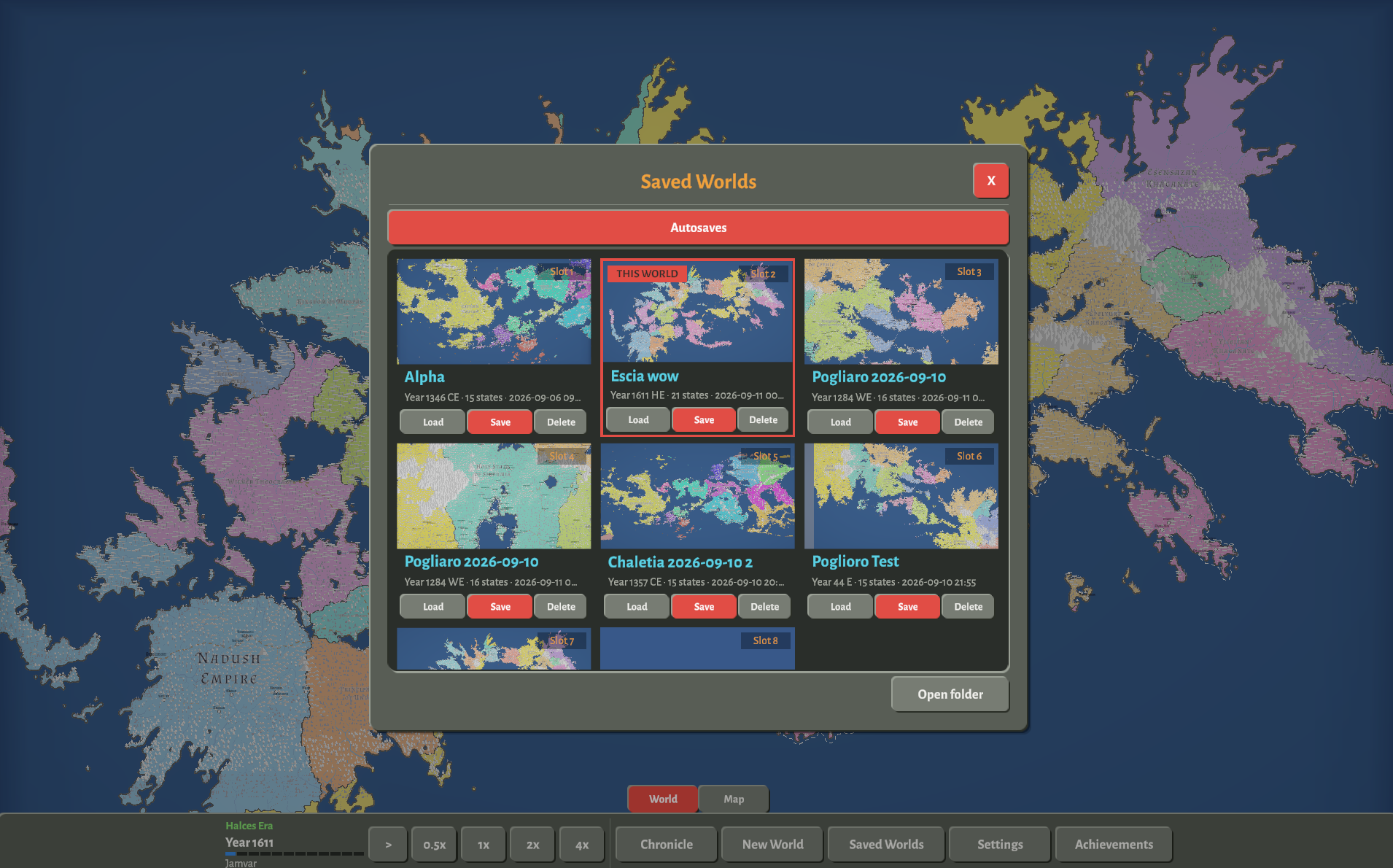
Saved Worlds on the toolbar holds the rest: save into an empty tile, load, delete, and the list of autosaves. Double-click a world's name there to rename it. The game autosaves every five minutes unless you change that in Settings, after a five-second countdown you can cancel with Esc.
Developer
These do nothing until Developer mode is switched on in Settings. They are for testing and tuning, and everything they unlock is marked in magenta on screen.
| Control | What it does |
|---|---|
| 5 | Speed 10x (a year every 3.6 seconds) |
| 6 | Speed 40x (a year every 0.9 seconds) |
| F8 | Start or stop recording a run to a CSV file (for balance tuning) |
| Click the debug overlay | Copy its readout to the clipboard |
The debug overlay itself is switched on in Settings, under Developer mode.
Known issues
What we know is wrong or missing in this version. Send anything else to agloe.games@gmail.com.
- A reopened save replays the same history. The world's luck resets to the same values every time a save opens. Two new worlds differ from each other.
- The map has no legend. The lit button on the toolbar's Map tab is the only sign of the color mode.
- Worlds settle down. After about three hundred years the population and the borders stop moving. The next major release rebuilds warfare to change this.
- A world takes about twenty seconds to load, most of it drawing province borders. On a large imported map, Windows may report the game as not responding while it draws; choose Wait.
- Every settlement writes a chronicle line at the first five-year mark, hundreds at once on a large map, and a settlement near the village-town line can switch every five years.
- The border between two states is drawn twice, so it looks heavier than a coast.
- A battle that takes two settlements can name the wrong one as the capital in the chronicle's line about the capital's fall.
Download
Click download now to get access to the following files:
Development log
- 1.0.0 - First Light1 day ago
Leave a comment
Log in with itch.io to leave a comment.